

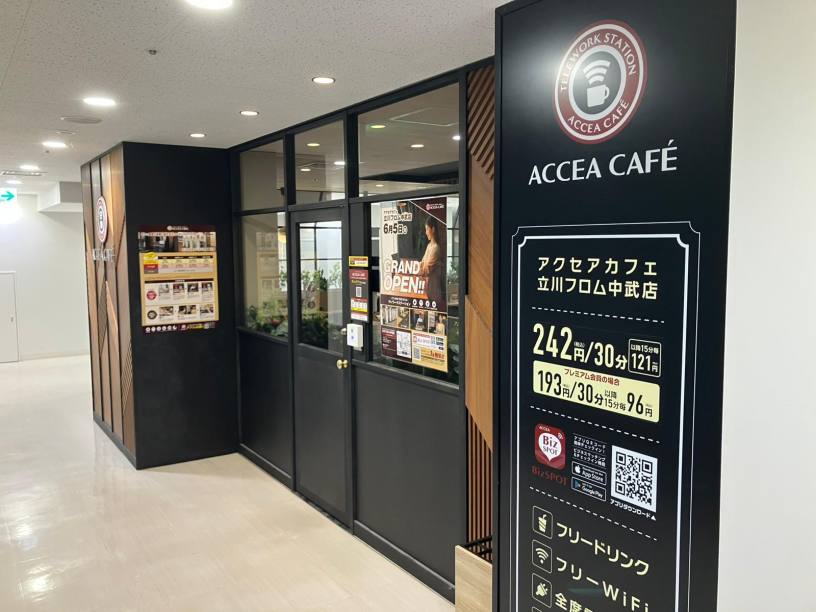
アクセアカフェ立川フロム中武店
- Store Information
- Facilities
- How to Use
Store Information
〒1900012 東京都立川市曙町2-11-2 フロム中武ビル6F
TEL: 042-842-8923
平日10:00〜19:00
シルバーウィークの営業時間
9/19(土)休業
9/20(日)休業
9/21(月)休業
9/22(火)休業
9/23(水)休業
-
 Power Supply at Every Seat
 -
 Free Wi-Fi
 -
 Free Drinks
 -
 Outside Food & Drinks Allowed
 -
 Free Rental Items
 -
 Coupons Available
 -
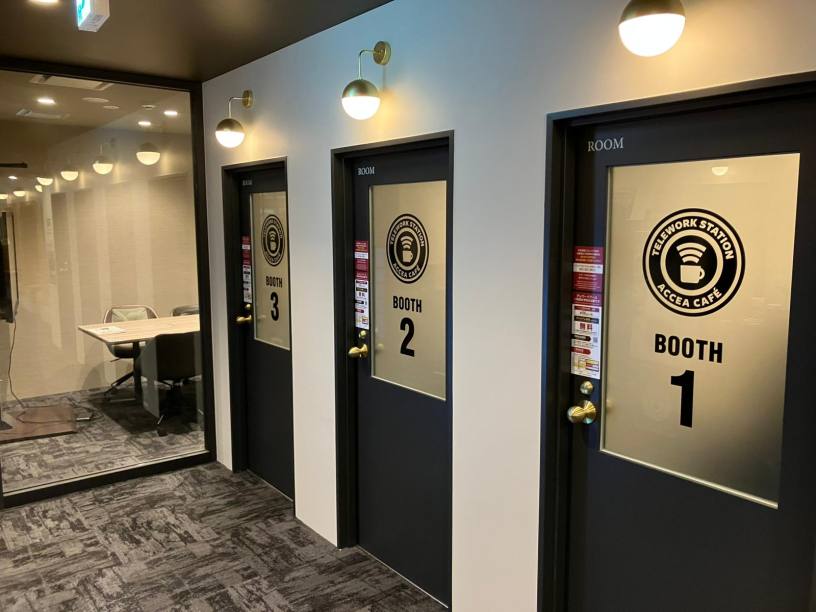
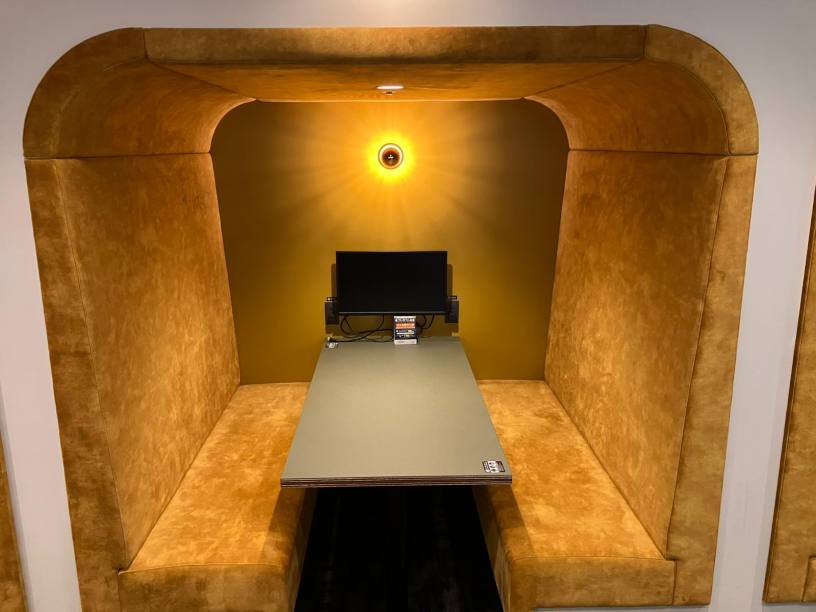
 Private Booths Available
 -
 Phone Call OK
 -
 Online Call OK
 -
 Conversation OK
* Bringing or consuming alcohol of any kind is not allowed.
* All seats are open for conversation, cell phone use, and online calls, but please be considerate of other patrons in terms of voice volume, etc.
Fees
| Plans | Regular fee | App Payment Fee | Thereafter |
|---|---|---|---|
| 30分 |
¥360 (in tax ¥396) |
¥220 (in tax ¥242) |
¥110 (in tax ¥121) /15 minutes |
| 3-hour package |
¥1,800 (in tax ¥1,980) |
¥1,100 (in tax ¥1,210) |
¥110 (in tax ¥121) /15 minutes |
| 9時間パック |
¥3,500 (in tax ¥3,850) |
¥2,750 (in tax ¥3,025) |
¥110 (in tax ¥121) /15 minutes |
* The fees listed is per person. charges apply for individuals aged elementary school and above.
Facilities
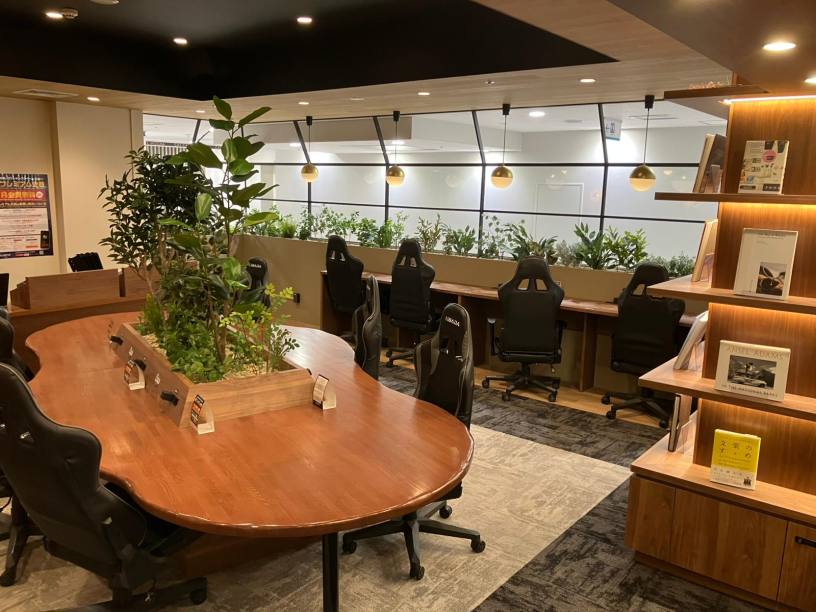
Seats
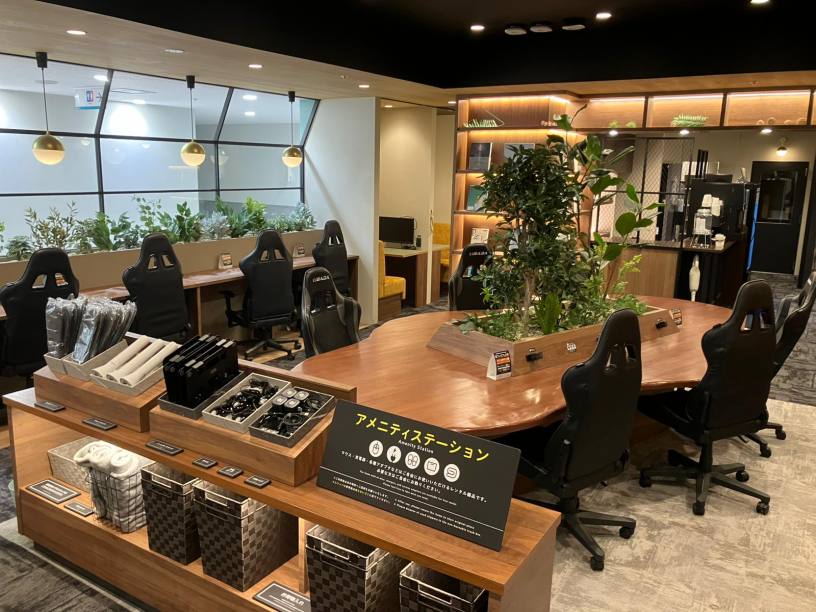
カウンター席 ×10
テーブル席(4名) ×3
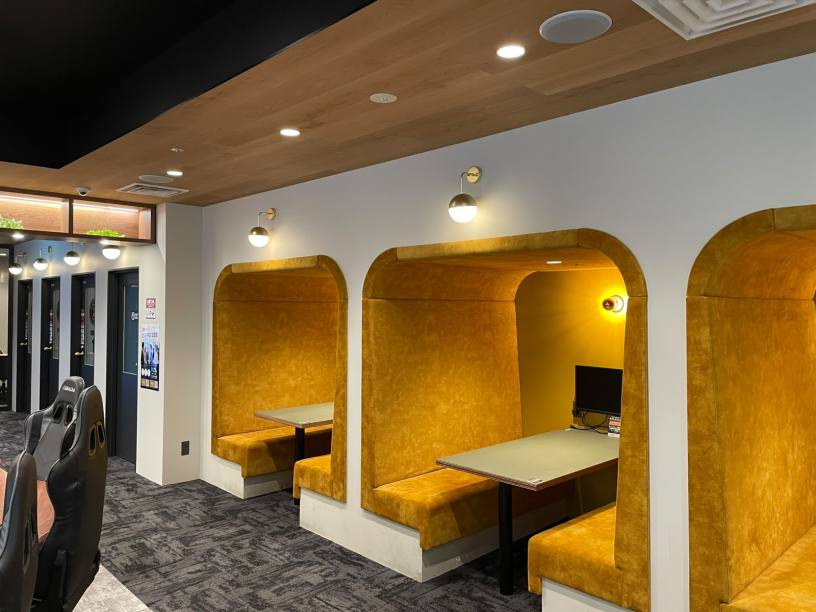
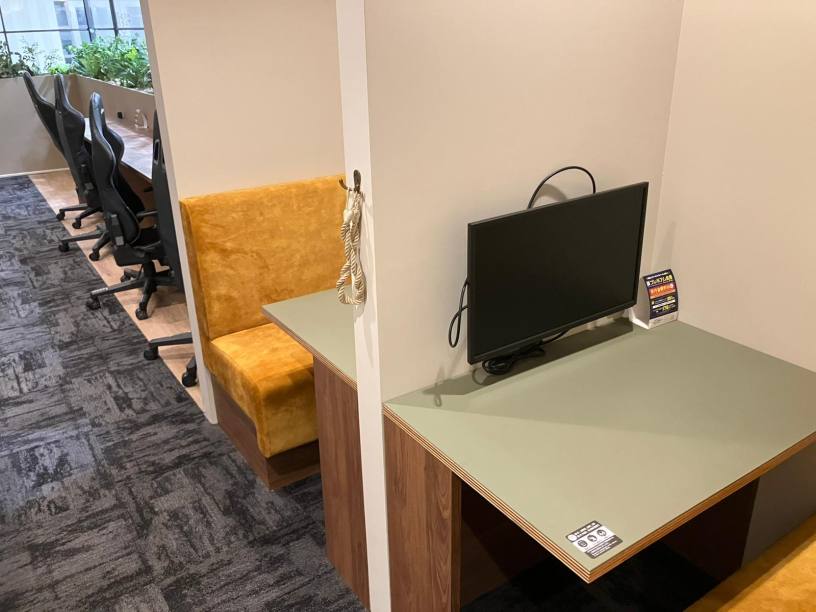
ブース席 ×6
ソファ席 ×2
ミーティングルーム(6名)×1
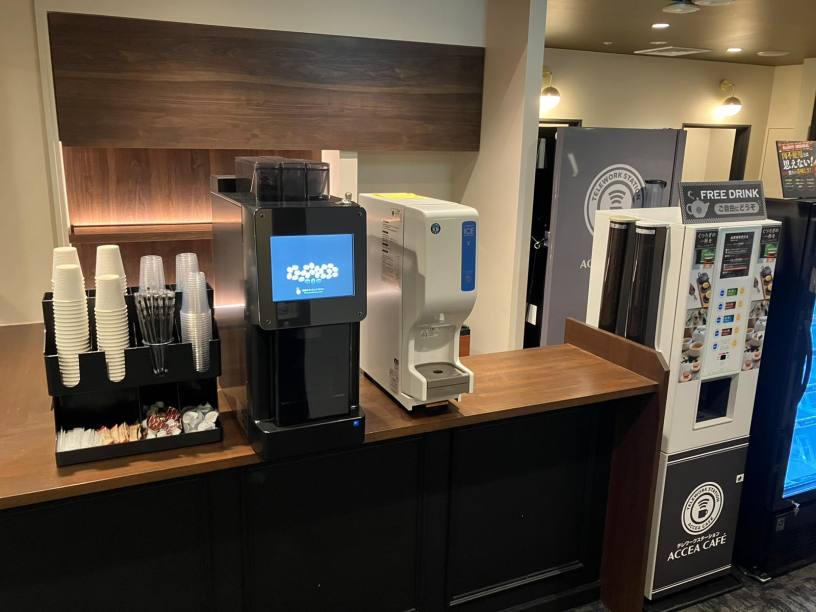
Drinks
カップ式自動販売機
給茶器
エスプレッソマシーン
Foods
冷凍食品自販機
電子レンジ
冷凍食品
Free Rental Items
USB充電コード
充電器
USBハブ
マウス
ひざかけ
Printing Servicies
Access
●JR線「立川駅」北口から徒歩2分
●多摩都市モノレール「立川北駅」JR立川駅方面から徒歩4分
Check in and check out with the BizSPOT app
[Smart Lock Installed Stores]
-
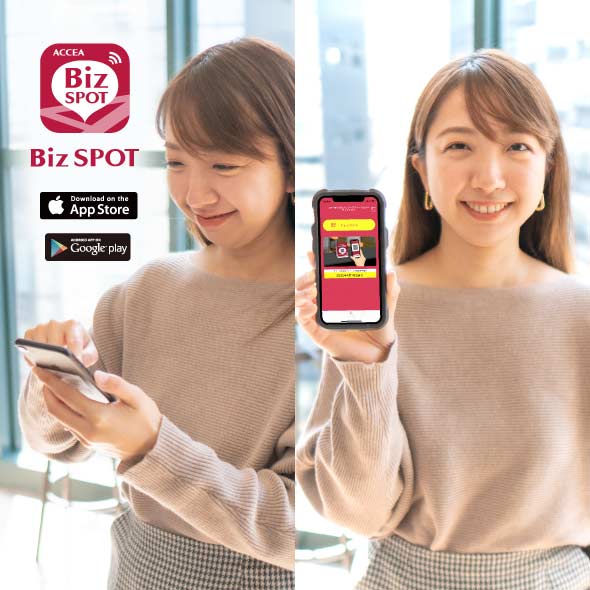 STEP1 App Download, credit Card Registration.
Please download the application BizSPOT, register your credit card information, and prepare the "Check-in" screen.
-
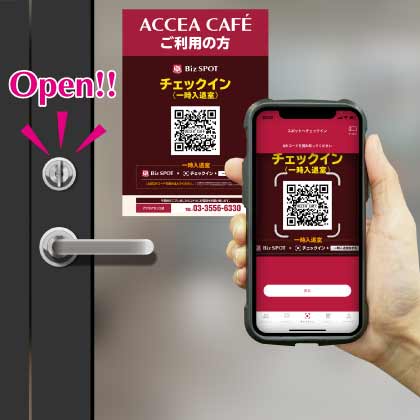 STEP2 Scan the QR code with the app to unlock the door and check-in.
Select the "check-in" function in the app. Tap the check-in button to scan the QR code, and select your plan. Please enter the store when the entrance door is unlocked.
-
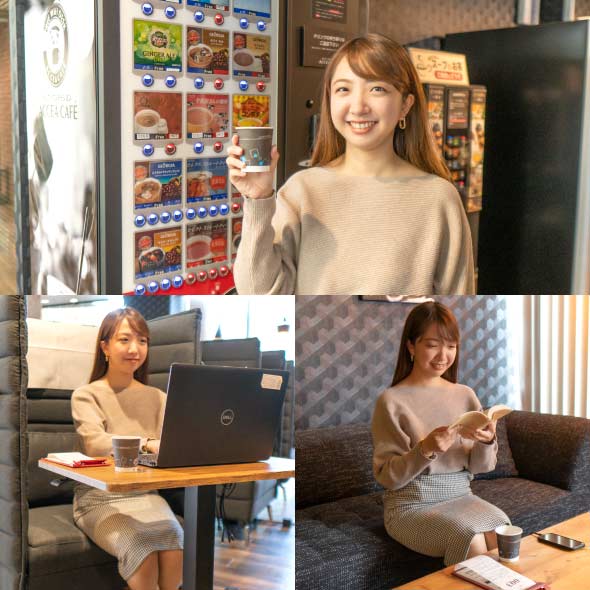 STEP3 Usage
Please feel free to use any available seat. You can also change seats during your usage.
-
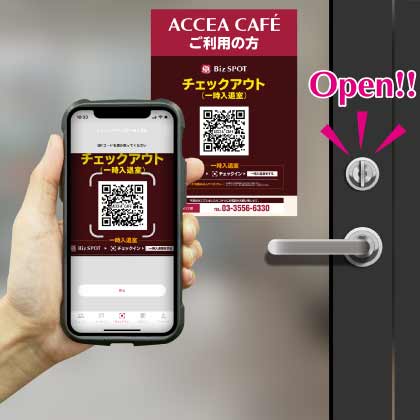 STEP4
STEP4Scan the QR code with the app to check out and unlock the door.
Temporary entry/exit during check-in
[Smart Lock Installed Stores]
-
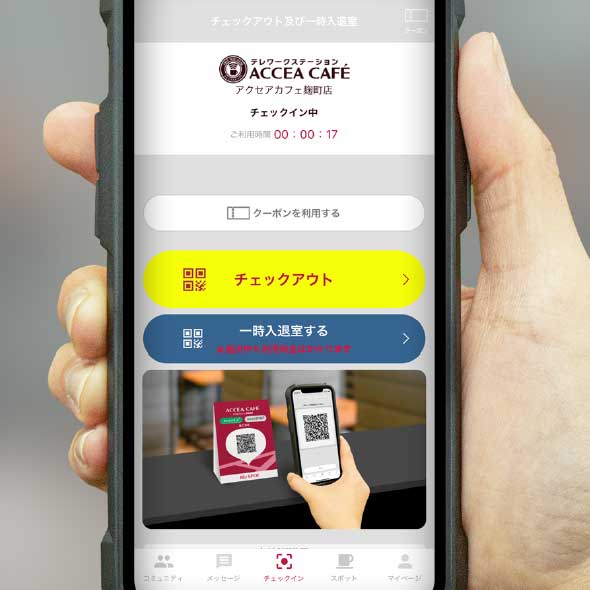 STEP1 Temporary Exit: Tap the Temporary Enter/Exit button
If you need to temporarily exit during your check-in, please tap the "Temporary Entry/Exit" button on the check-out and temporary entry/exit screen.
-
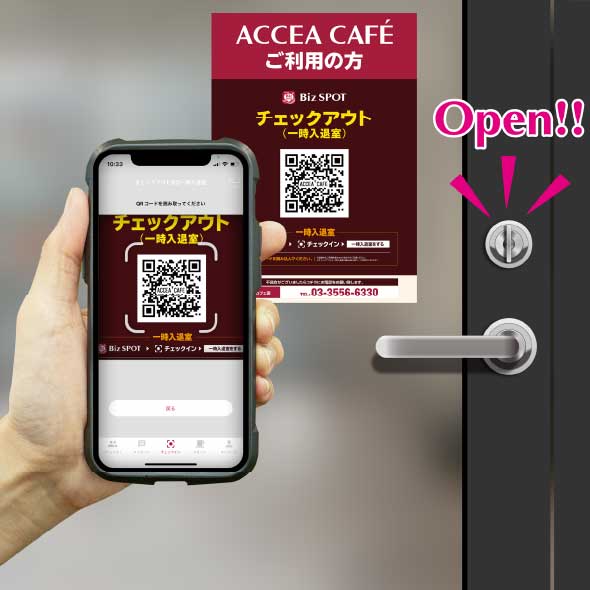 STEP2 Scan the temporary entry/exit QR code.
"Scan the temporary entry/exit QR code and please exit the store when the entrance door is unlocked.
*Please note that usage fees continue to apply even during temporary exits." -
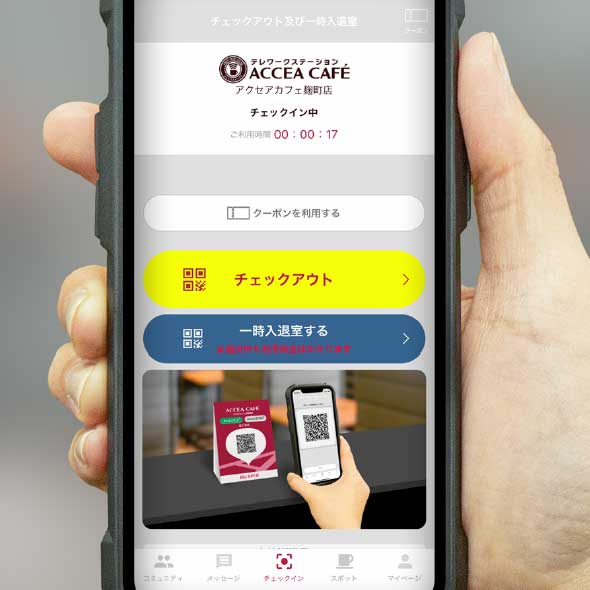 STEP3 Re-entry: Tap the temporary entry/exit button.
To re-enter the room, please tap the "Enter/Exit" button on the check-out and temporary entry/exit screens.
-
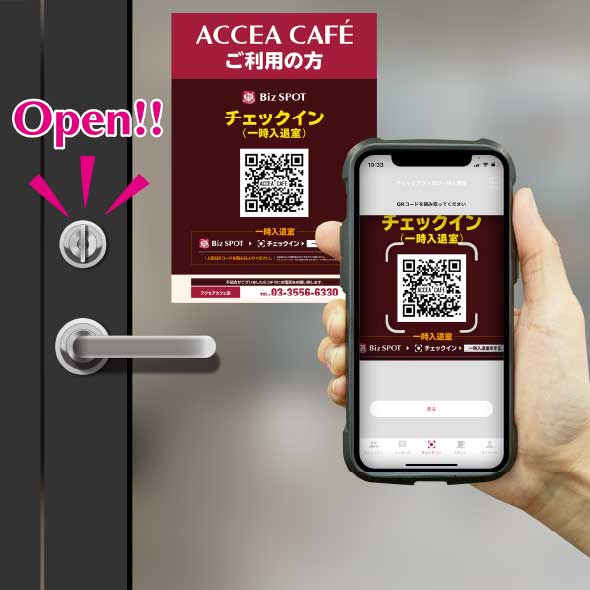 STEP4 Scan the temporary entry/exit QR code.
Scan the temporary entry/exit QR code and please re-enter when the entrance door is unlocked.