

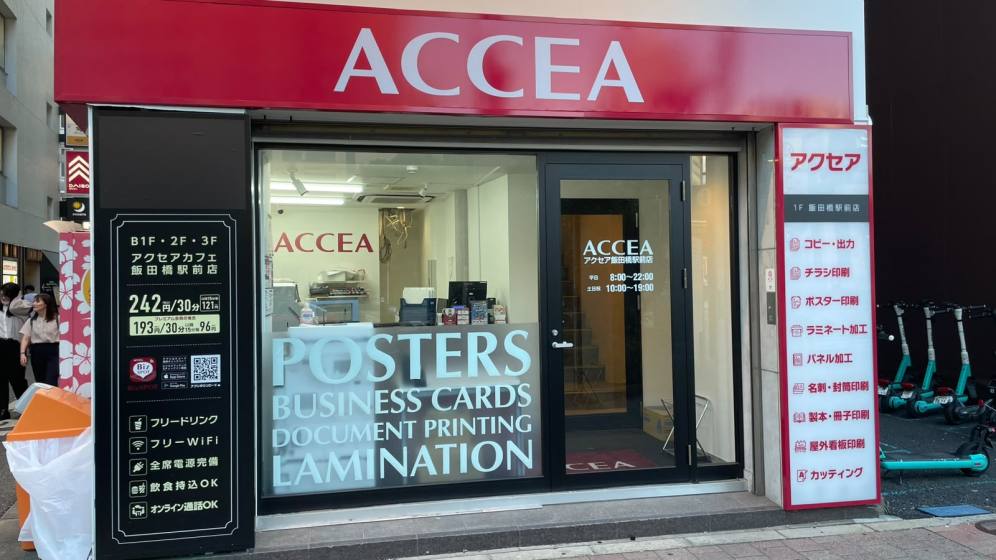
アクセアカフェ飯田橋駅前店
- Store Information
- Facilities
- How to Use
飯田橋駅B1出口からすぐ。駅近なので出勤前のソロワークや帰宅前の読書など、充実したお時間を過ごしていただけます。
カウンター席とテーブル席をご用意しておりますので、ミーティングや勉強会など複数人でのご利用にも対応可能。集中して作業できるカウンターデスク、別途有料にはなりますが個室ブースもございます。
静かでリラックスした空間をご提供いたします。
【重要】ブース席・ミーティングルームは予約制です。
通常会員(1ブースあたり)
1人用:55円(税込) / 15分
プレミアム会員/法人シェアプラン/月額使い放題プラン
1人用:無料※
Store Information
〒162-0824 東京都新宿区揚場町1-16 山路飯店ビル
TEL: 03-6699-9049
平日24時間営業(月曜朝8時から土曜夜7時まで休まず営業)、
土~19:00、日祝10:00~19:00(平日の祝前日は休まず営業)
※22:00~翌6:00まではBizSPOTアプリにて本人確認がお済みのお客様のみご利用いただけます。
-
 Power Supply at Every Seat
 -
 Free Wi-Fi
 -
 Free Drinks
 -
 Outside Food & Drinks Allowed
 -
 Free Rental Items
 -
 Coupons Available
 -
 Private Booths Available
 -
 Phone Call OK
 -
 Online Call OK
 -
 Conversation OK
* Bringing or consuming alcohol of any kind is not allowed.
* All seats are open for conversation, cell phone use, and online calls, but please be considerate of other patrons in terms of voice volume, etc.
Fees
| Plans | Regular fee | App Payment Fee | Thereafter |
|---|---|---|---|
| 30分 |
¥360 (in tax ¥396) |
¥220 (in tax ¥242) |
¥110 (in tax ¥121) /15 minutes |
| 3-hour package |
¥1,800 (in tax ¥1,980) |
¥1,100 (in tax ¥1,210) |
¥110 (in tax ¥121) /15 minutes |
| 9時間パック |
¥3,500 (in tax ¥3,850) |
¥2,750 (in tax ¥3,025) |
¥110 (in tax ¥121) /15 minutes |
* The fees listed is per person. charges apply for individuals aged elementary school and above.
Reservation Fees (Common to All Stores)
| Regular Member | Premium Members Corporate Shared Plan |
|
|---|---|---|
| Booth Reservation (Rate per Booth) |
1 person: 55 yen / 15 min | Free *(1)*(2) |
| 2 people: 66 yen / 15 min | ||
| Meeting Room Reservation (Rate per Room) |
4 people: 110 yen / 15 min | 4 people: 55 yen / 15 min |
| 6 people: 165 yen / 15 min | 6 people: 82.5 yen / 15 min | |
| 8 people: 220 yen / 15 min | 8 people: 110 yen / 15 min |
*(1) Each reservation can be up to 10 hours.
*(2) You can hold up to 3 reservations at the same time.
* Please note that café usage fees will be charged in addition to the reservation fee.
* This fee table is common to all stores. It includes rates for booths and rooms that may not be available at this location. Please check the "Facilities" section below for the facilities available at this store.
Facilities
Seats
カウンター席 8席
テーブル席 4席
テレワークブース・個室(1人席)2室
ハイバックソファ 5席
Drinks
コーヒーメーカー
ドリンクバー
Free Rental Items
USB充電コード
Printing Servicies
Access
●JR「飯田橋駅」東口より徒歩3分
●東京メトロ東西線、有楽町線、南北線、大江戸線「飯田橋駅」B1出口よりすぐ
Floor Guide
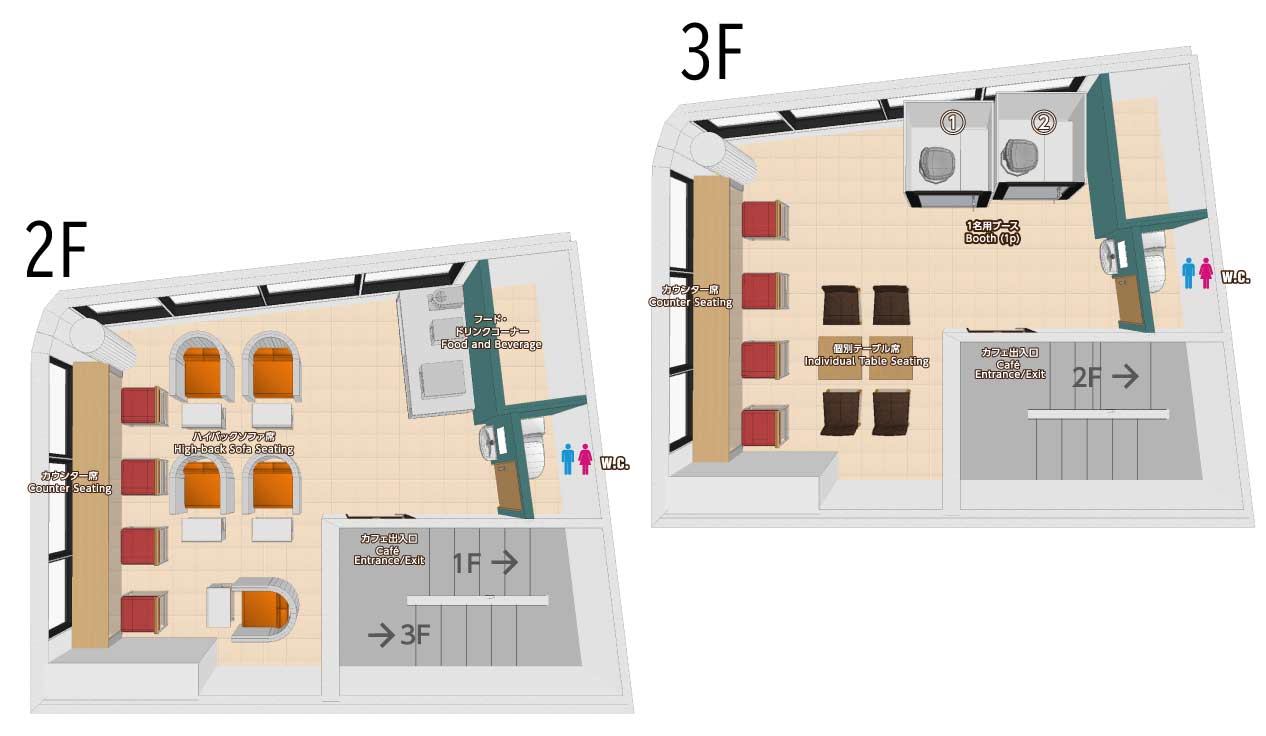
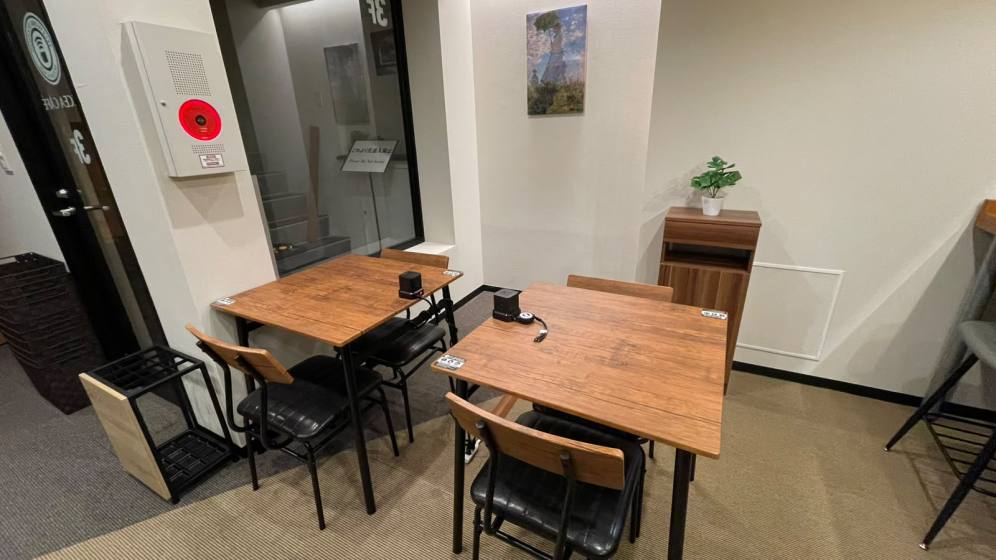 テーブル席4席
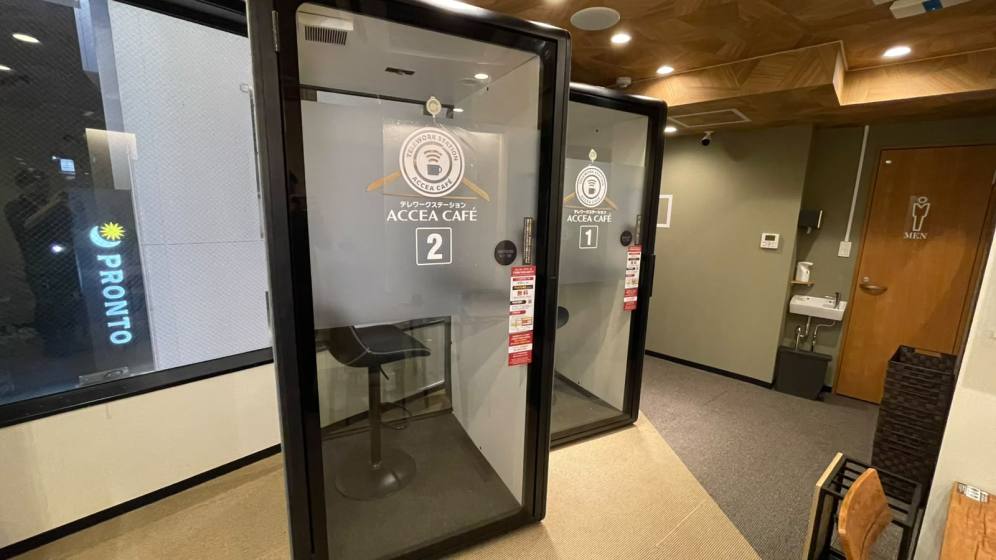 テレワークブース2席
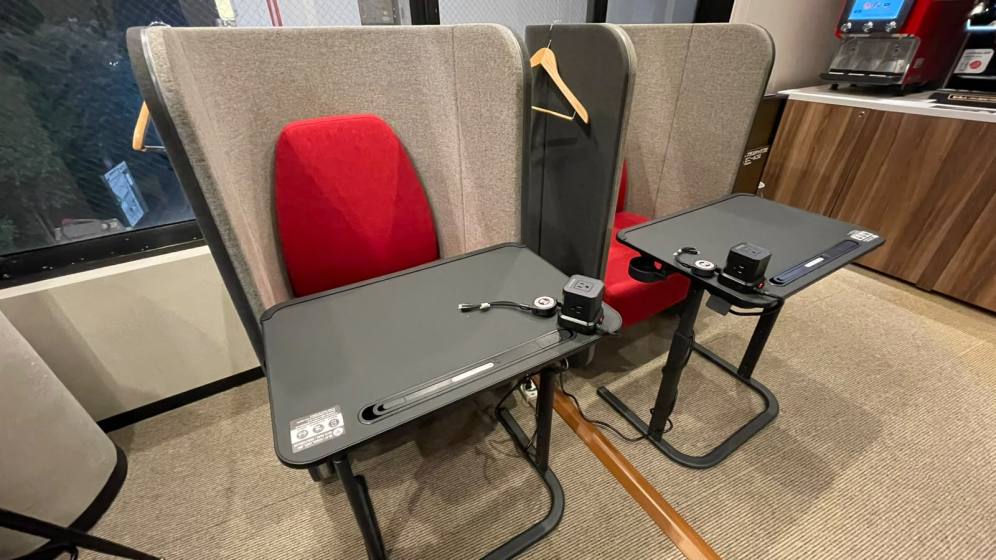 ハイバックソファ5席
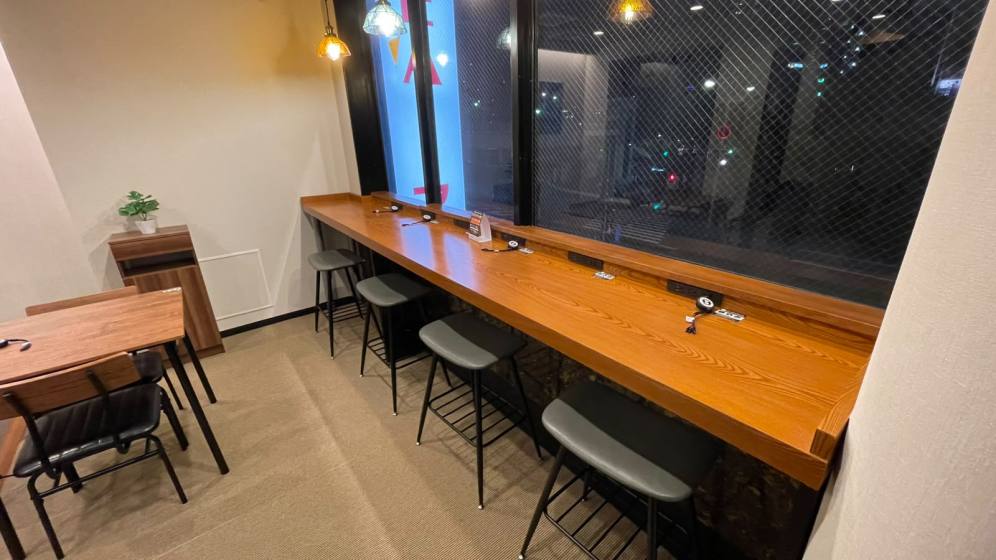 カウンター席8席
Check in and check out with the BizSPOT app
[Smart Lock Installed Stores]
-
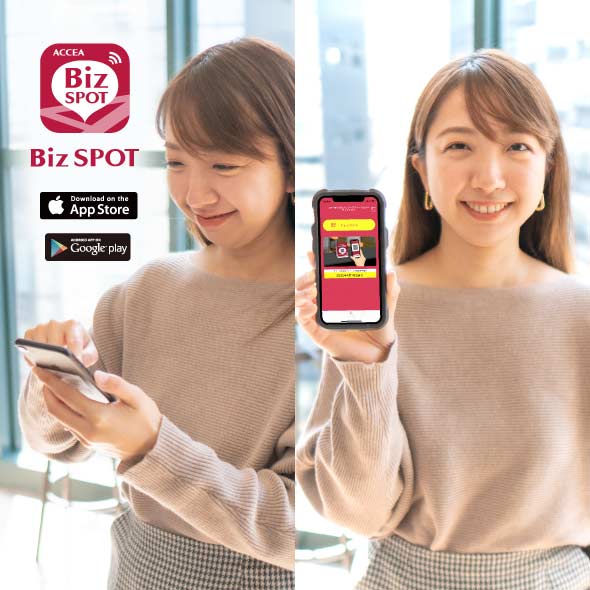 STEP1 App Download, credit Card Registration.
Please download the application BizSPOT, register your credit card information, and prepare the "Check-in" screen.
-
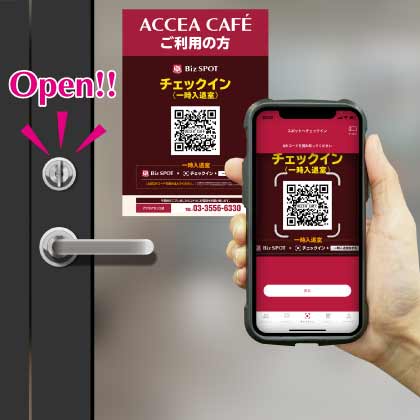 STEP2 Scan the QR code with the app to unlock the door and check-in.
Select the "check-in" function in the app. Tap the check-in button to scan the QR code, and select your plan. Please enter the store when the entrance door is unlocked.
-
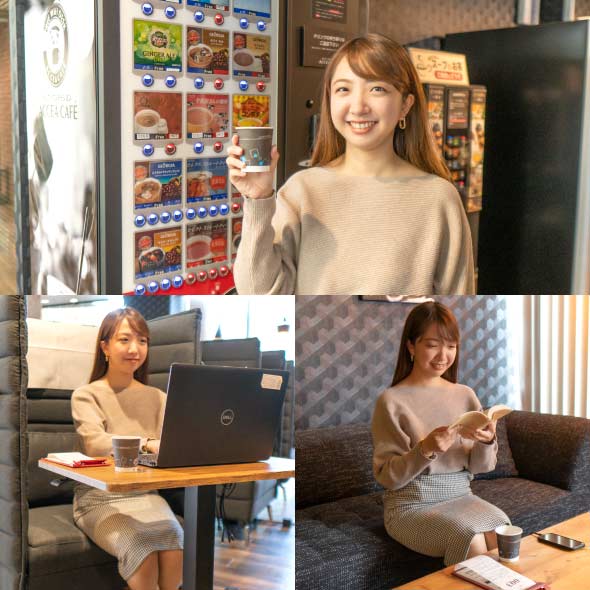 STEP3 Usage
Please feel free to use any available seat. You can also change seats during your usage.
-
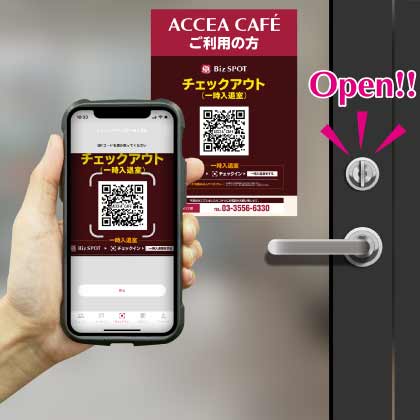 STEP4
STEP4Scan the QR code with the app to check out and unlock the door.
Temporary entry/exit during check-in
[Smart Lock Installed Stores]
-
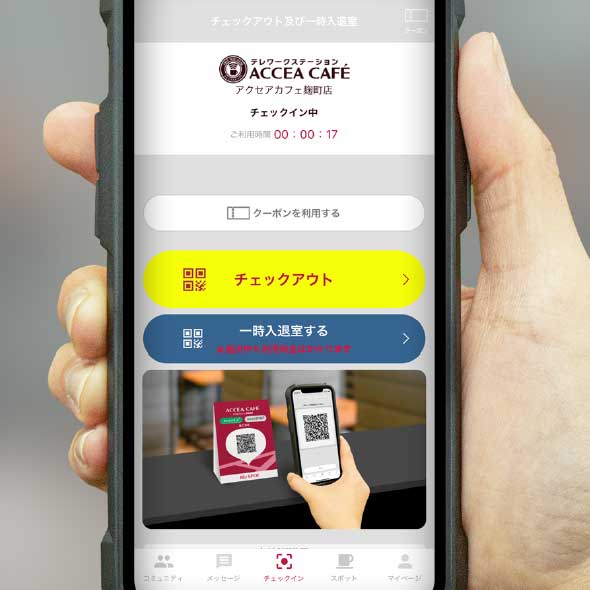 STEP1 Temporary Exit: Tap the Temporary Enter/Exit button
If you need to temporarily exit during your check-in, please tap the "Temporary Entry/Exit" button on the check-out and temporary entry/exit screen.
-
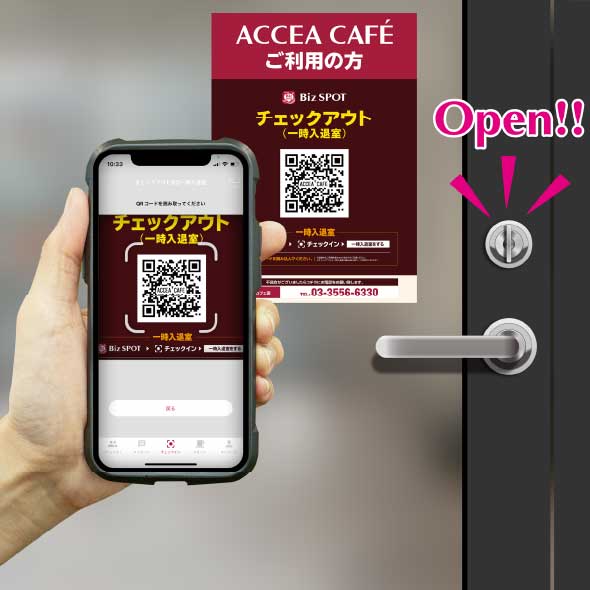 STEP2 Scan the temporary entry/exit QR code.
"Scan the temporary entry/exit QR code and please exit the store when the entrance door is unlocked.
*Please note that usage fees continue to apply even during temporary exits." -
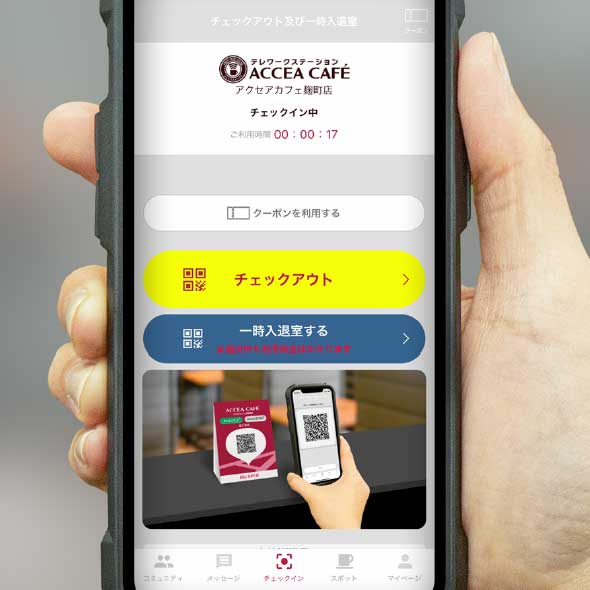 STEP3 Re-entry: Tap the temporary entry/exit button.
To re-enter the room, please tap the "Enter/Exit" button on the check-out and temporary entry/exit screens.
-
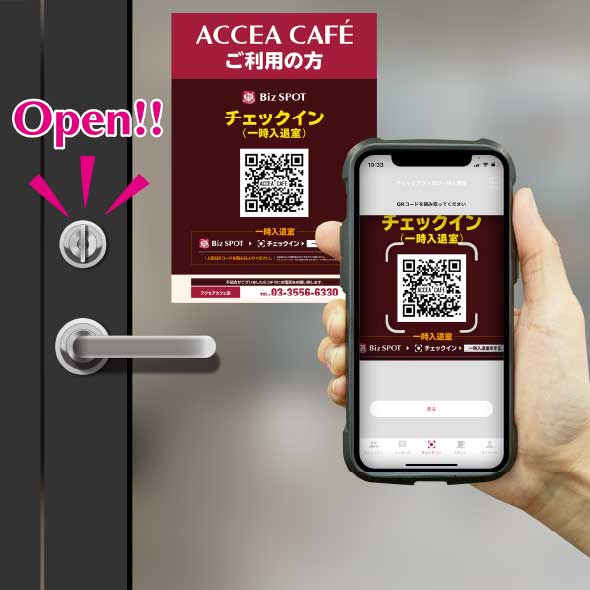 STEP4 Scan the temporary entry/exit QR code.
Scan the temporary entry/exit QR code and please re-enter when the entrance door is unlocked.