

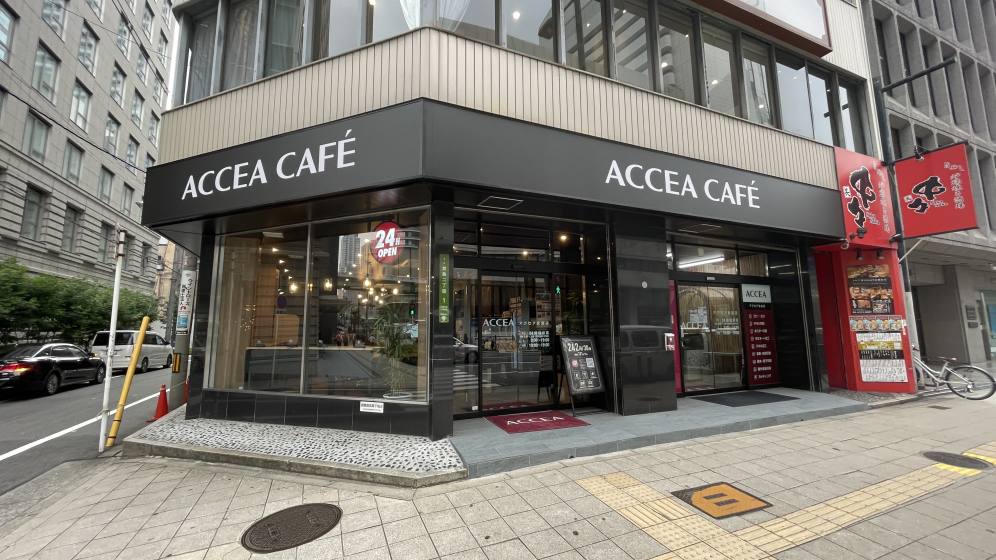
アクセアカフェ堂島店
- Store Information
- Facilities
- How to Use
【重要】ブース席・ミーティングルームは予約制です。
通常会員(1ブースあたり)
1人用:55円(税込) / 15分
2人用:66円(税込) / 15分
プレミアム会員/法人シェアプラン/月額使い放題プラン
1人用:無料※
2人用:無料※
~~~~~~~~~~~~~~~~~~~~~~~~~~~~~~~~~
コワーキングスペース、ノマドカフェ、ウェビナー、オンライン会議、テレワークに
いろんなタイプの席があり、ちょっとしたWEB会議やPC作業にぴったりです。
テレワークに最適なパーテーションブースや、落ち着いてお過ごしいただけるハイバックソファ席もございます。
フリーWi-Fi、フリードリンク、電源完備のコワーキングスペースは15分からどなたでも気軽にお使いいただけます。
出張の空き時間に、ホテルのチェックイン前に、資料作成に。
快適でゆったりした空間を、多様な用途でご利用ください。
Store Information
〒530-0003 大阪府大阪市北区堂島2-1-2 中村屋ビル1F
TEL: 06-6131-8804
平日24時間営業(月曜朝8時から土曜夜19時まで休まず営業)
土~19:00、日祝 10:00~19:00
シルバーウィークの営業時間
9/19(土) 0:00~19:00
9/20(日)10:00~19:00
9/21(月)10:00~19:00
9/22(火)10:00~19:00
9/23(水)10:00~19:00
※22:00~翌6:00まではBizSPOTアプリにて本人確認がお済みのお客様のみご利用いただけます。
-
 Power Supply at Every Seat
 -
 Free Wi-Fi
 -
 Free Drinks
 -
 Outside Food & Drinks Allowed
 -
 Free Rental Items
 -
 Coupons Available
 -
 Private Booths Available
 -
 Phone Call OK
 -
 Online Call OK
 -
 Conversation OK
* Bringing or consuming alcohol of any kind is not allowed.
* All seats are open for conversation, cell phone use, and online calls, but please be considerate of other patrons in terms of voice volume, etc.
Fees
| Plans | Regular fee | App Payment Fee | Thereafter |
|---|---|---|---|
| 30分 |
¥360 (in tax ¥396) |
¥240 (in tax ¥264) |
¥120 (in tax ¥132) /15 minutes |
| 3-hour package |
¥1,800 (in tax ¥1,980) |
¥1,200 (in tax ¥1,320) |
¥120 (in tax ¥132) /15 minutes |
| 9時間パック |
¥3,500 (in tax ¥3,850) |
¥2,800 (in tax ¥3,080) |
¥120 (in tax ¥132) /15 minutes |
* The fees listed is per person. charges apply for individuals aged elementary school and above.
Facilities
Seats
テレワークブース・個室(1名用)4室 ※要予約
テレワークブース・個室(2名用)1室 ※要予約
ハイバックソファ席 6席
カウンター席 7席
ソファ席 3席
中央テーブル席 4席
Drinks
給茶器
ウォーターサーバー
コーヒーメーカー
ドリンクバー
パンケーキマシン
Foods
冷凍食品自販機
電子レンジ
Biz SPOT Snack Time(お菓子)
Free Rental Items
USB充電コード
USBハブ
充電器
マウス
延長コード
ひざかけ
Printing Servicies
Access
●大阪メトロ四つ橋線「西梅田駅」徒歩6分
●JR東西線「北新地駅」より徒歩4分
●JR大阪環状線「大阪駅」より徒歩9分
●※各駅からドーチカ地下街を通ってC-93出口あがってすぐ
Floor Guide
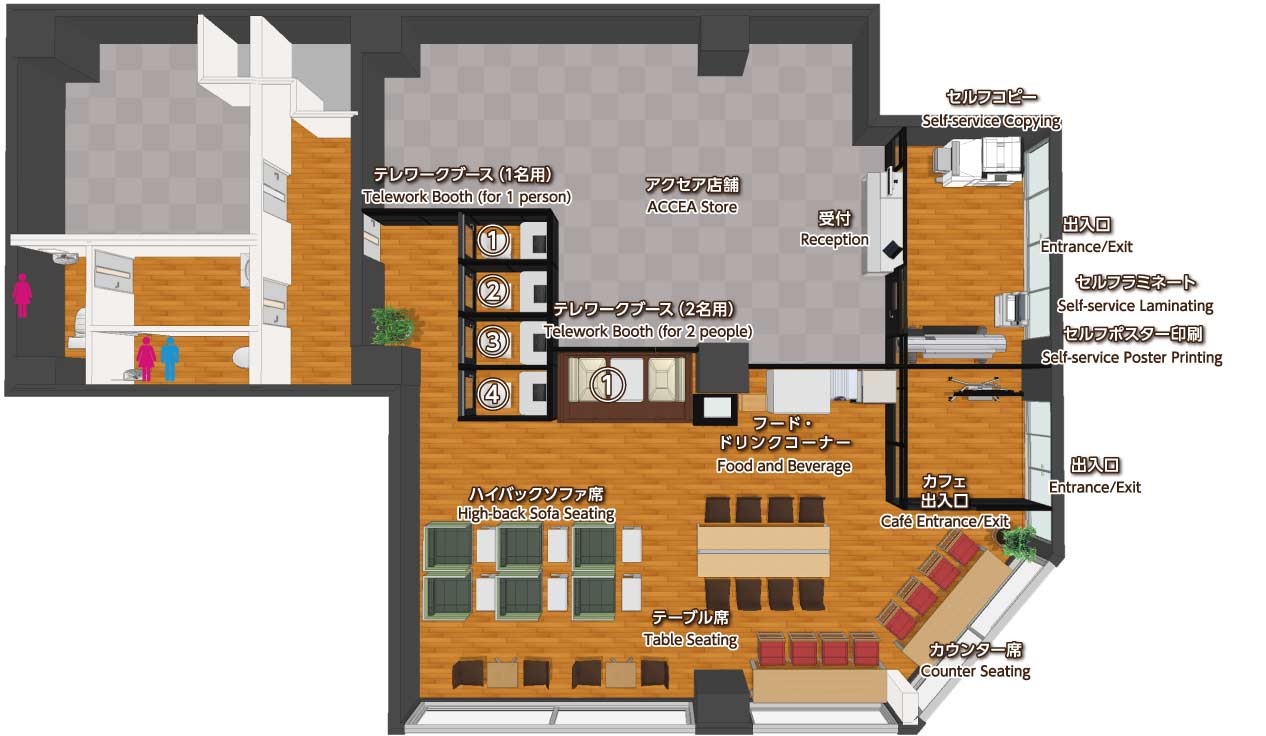
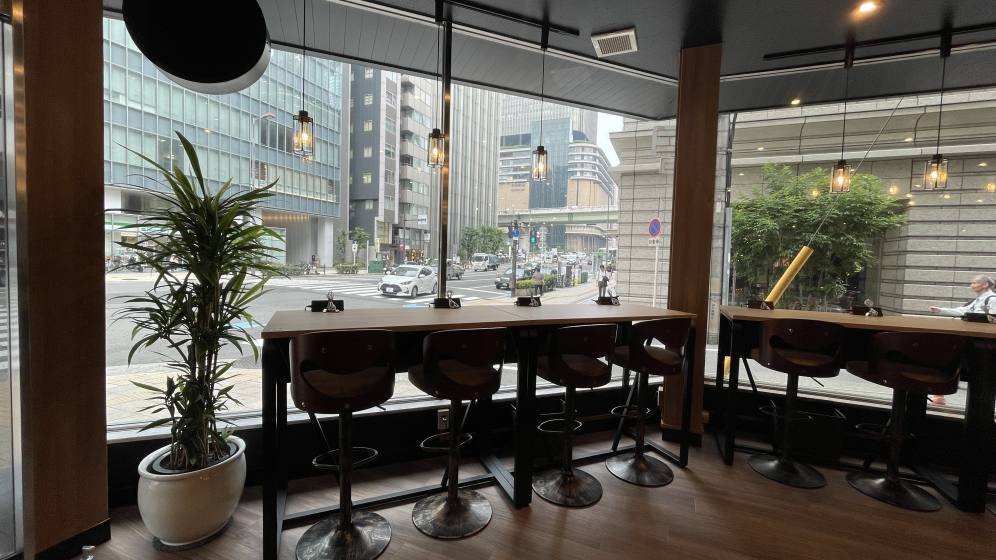 カウンター席
 中央テーブル席
 ハイバックソファ席
 ソファ席
ソファ席
 個室ブース席(1人用)
 2人用ブース席
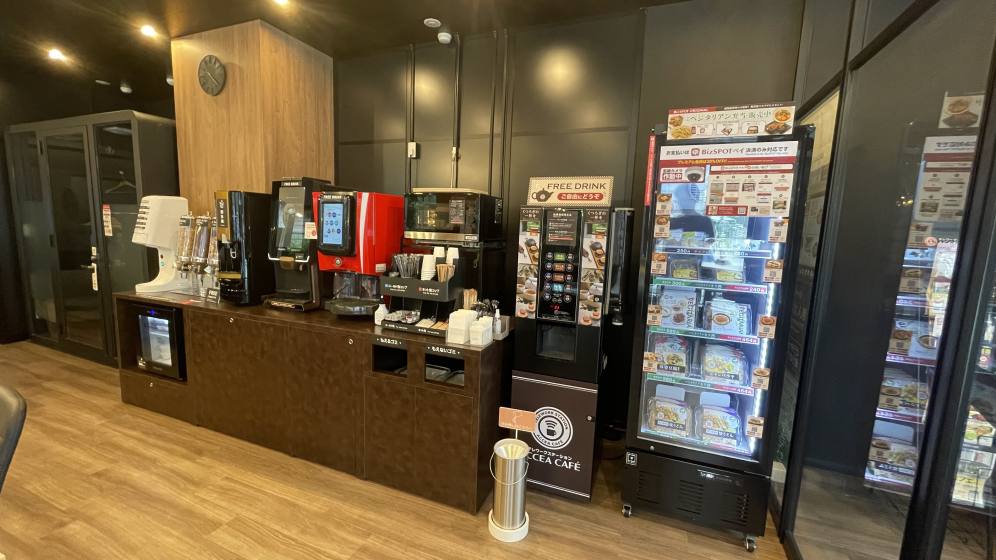 フード・ドリンクコーナー
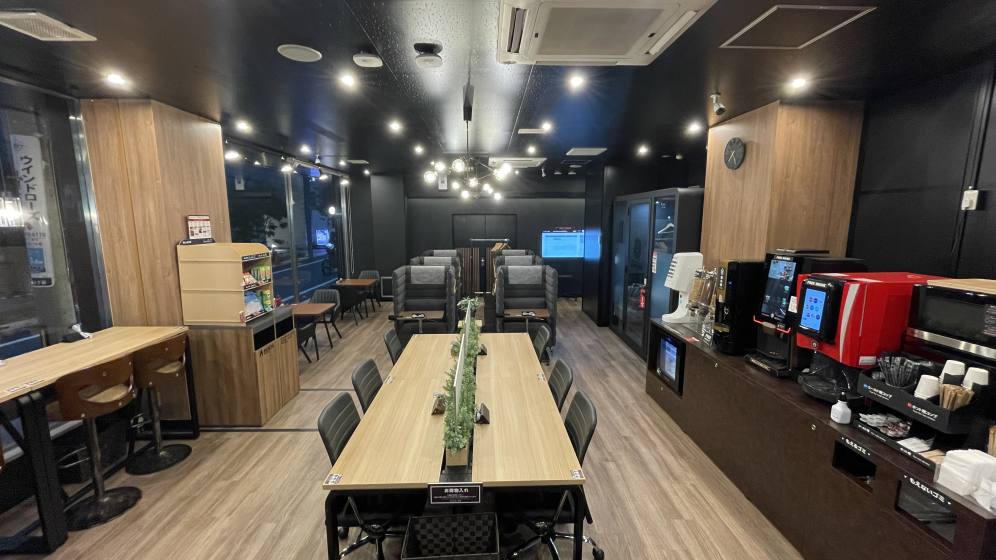 店内
店内
Check in and check out with the BizSPOT app
[Smart Lock Installed Stores]
-
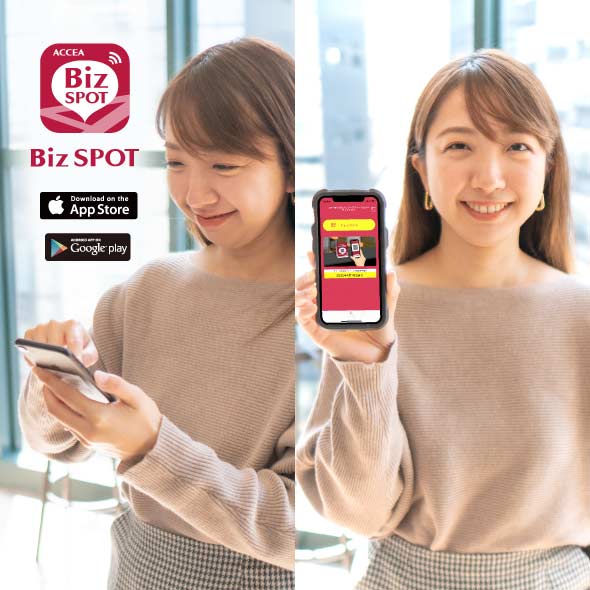 STEP1 App Download, credit Card Registration.
Please download the application BizSPOT, register your credit card information, and prepare the "Check-in" screen.
-
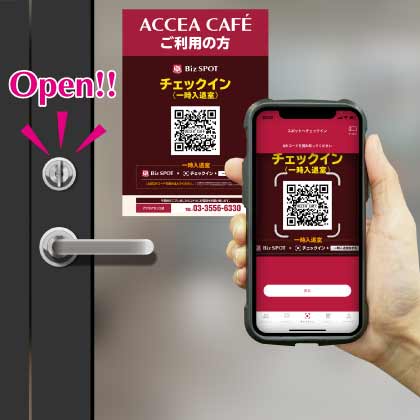 STEP2 Scan the QR code with the app to unlock the door and check-in.
Select the "check-in" function in the app. Tap the check-in button to scan the QR code, and select your plan. Please enter the store when the entrance door is unlocked.
-
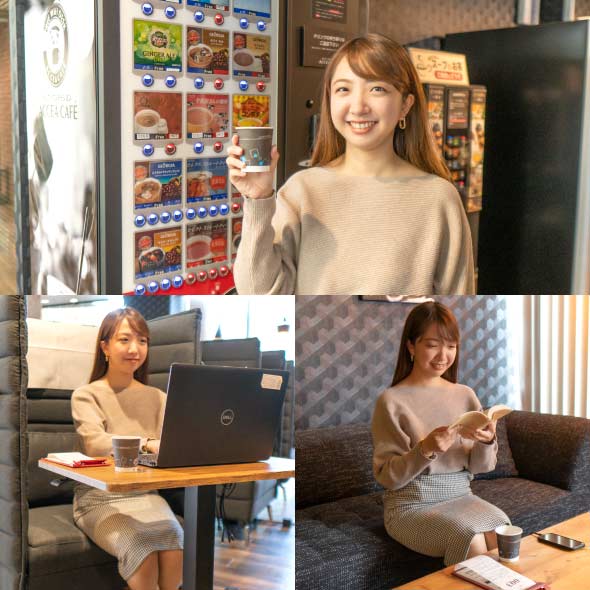 STEP3 Usage
Please feel free to use any available seat. You can also change seats during your usage.
-
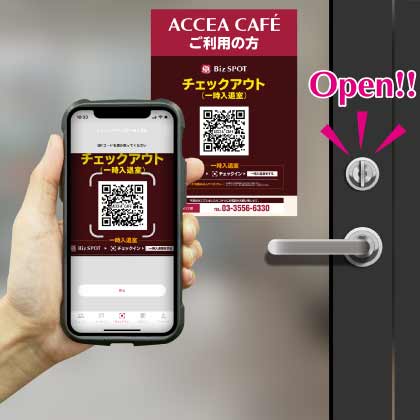 STEP4
STEP4Scan the QR code with the app to check out and unlock the door.
Temporary entry/exit during check-in
[Smart Lock Installed Stores]
-
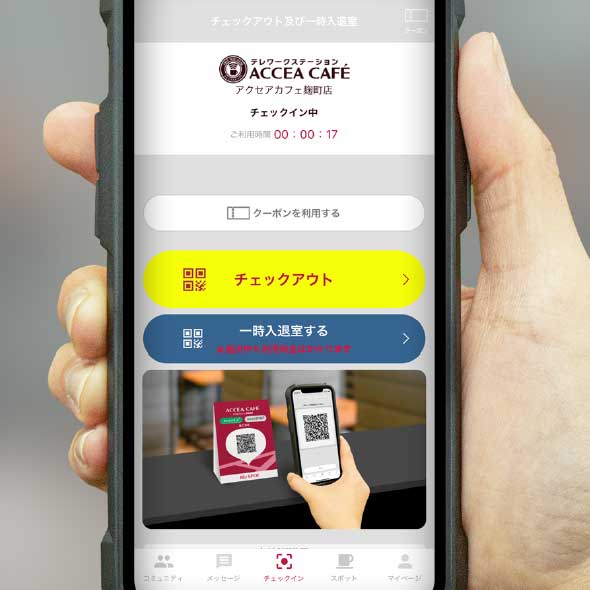 STEP1 Temporary Exit: Tap the Temporary Enter/Exit button
If you need to temporarily exit during your check-in, please tap the "Temporary Entry/Exit" button on the check-out and temporary entry/exit screen.
-
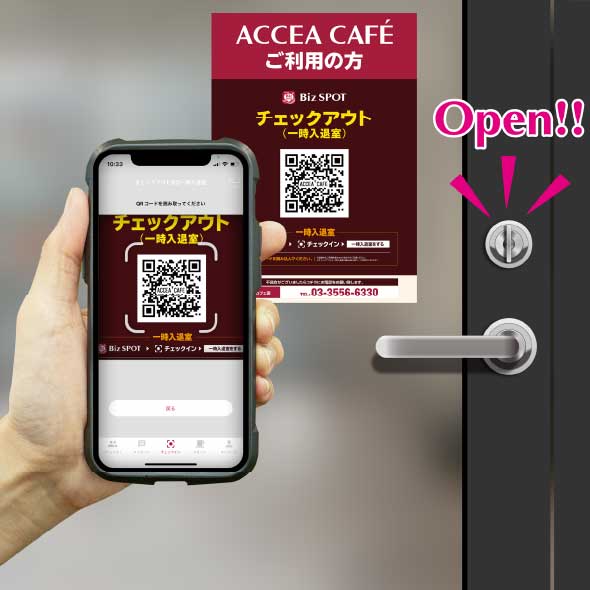 STEP2 Scan the temporary entry/exit QR code.
"Scan the temporary entry/exit QR code and please exit the store when the entrance door is unlocked.
*Please note that usage fees continue to apply even during temporary exits." -
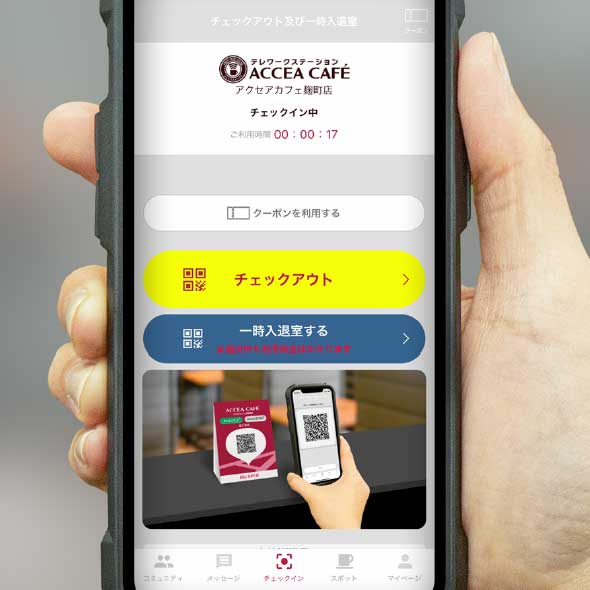 STEP3 Re-entry: Tap the temporary entry/exit button.
To re-enter the room, please tap the "Enter/Exit" button on the check-out and temporary entry/exit screens.
-
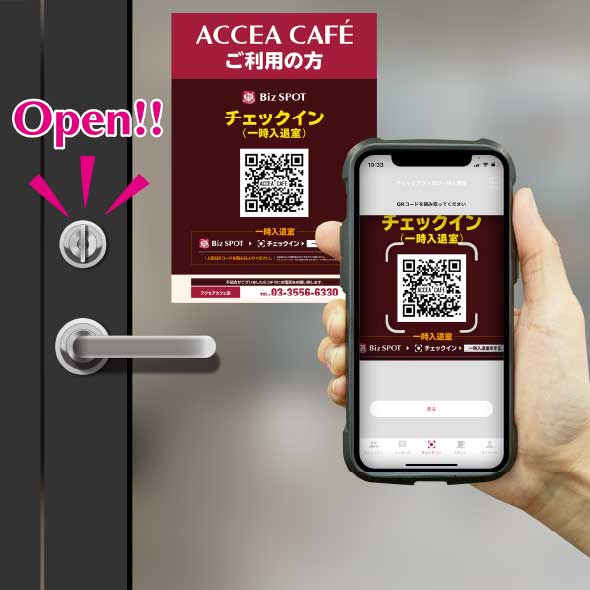 STEP4 Scan the temporary entry/exit QR code.
Scan the temporary entry/exit QR code and please re-enter when the entrance door is unlocked.